
Calenderify
One scheduling hub for booking, polls, and paid meetings
Calenderify is a one stop scheduling solution. Create booking pages you can embed anywhere, run date polls with grouped voters, publish public services and events, manage availability for teams, connect integrations, and earn from paid sessions.
 Sign up with Google
Trusted by teams who run on time
Join thousands of businesses that trust Calenderify for their daliy needs.









The Smart Way to Schedule & Plan
Watch how booking types, date polls, availability, and paid meetings work together in one connected flow.
From creating a booking type and setting availability, to running date polls, collecting payments, and tracking everything from one dashboard, this short demo shows how Calenderify replaces multiple scheduling tools.
Six modules that replace multiple tools
Everything connects together so you can schedule, publish, and manage team without switching platforms.
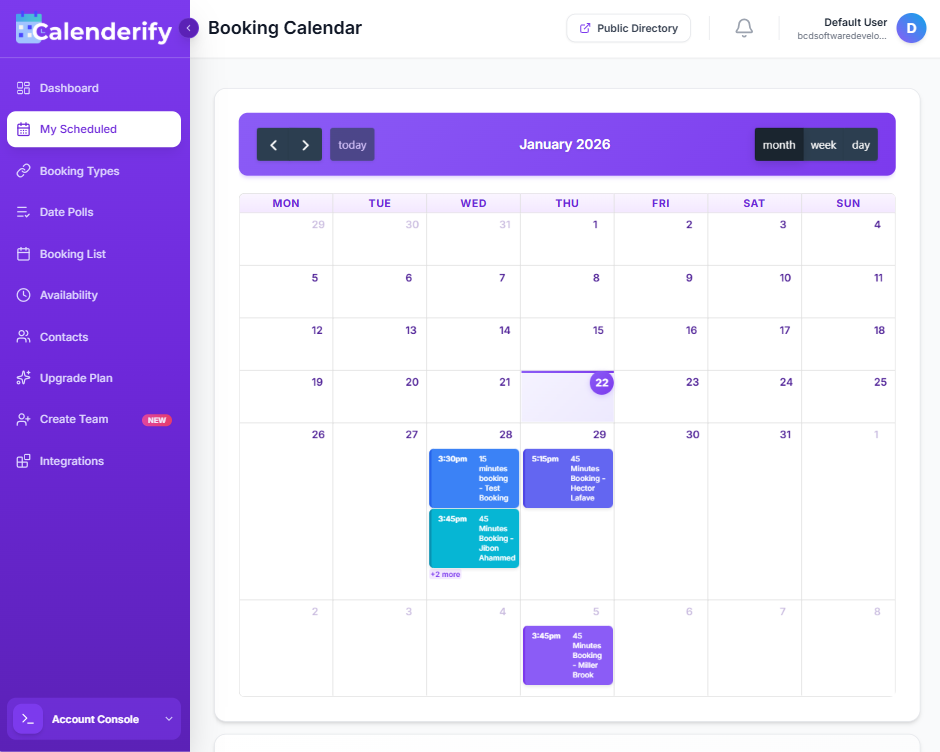
Create booking types and generate a landing page you can embed into any website.
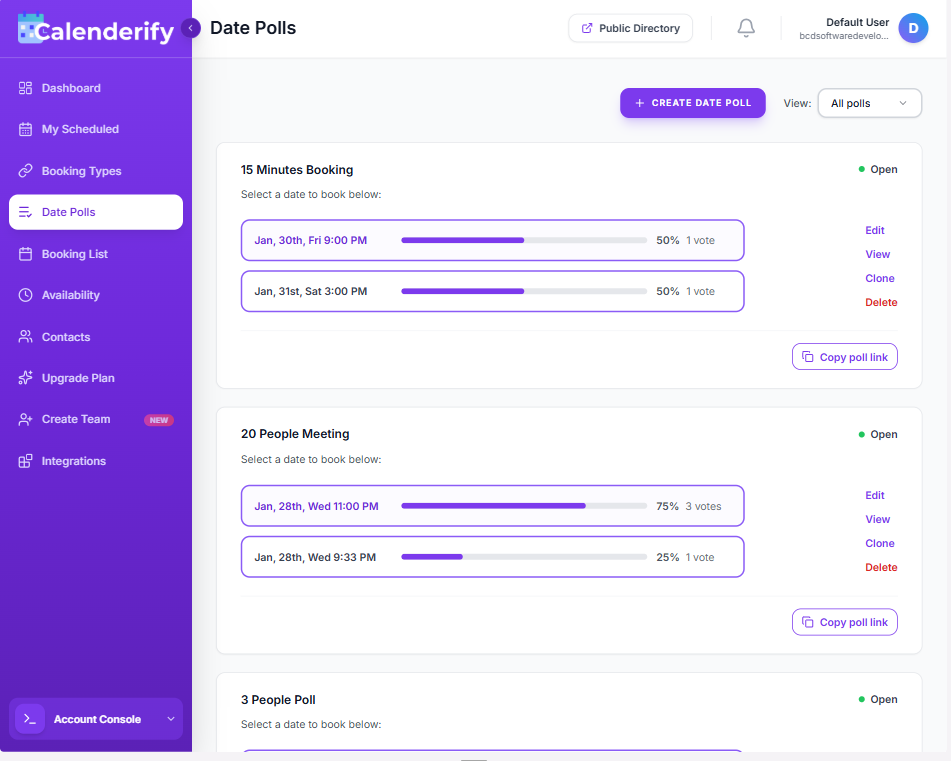
Let people vote on times, then group voters automatically for smooth coordination.
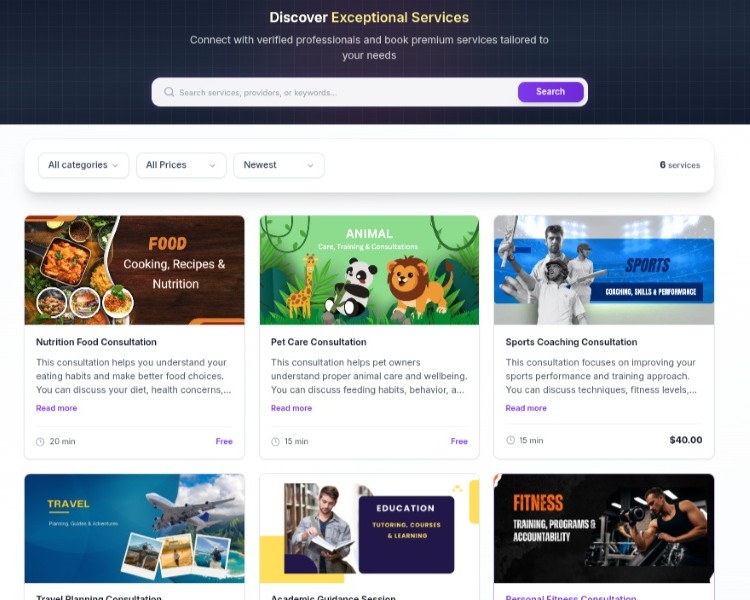
Publish services or events as free or paid listings and share instantly.
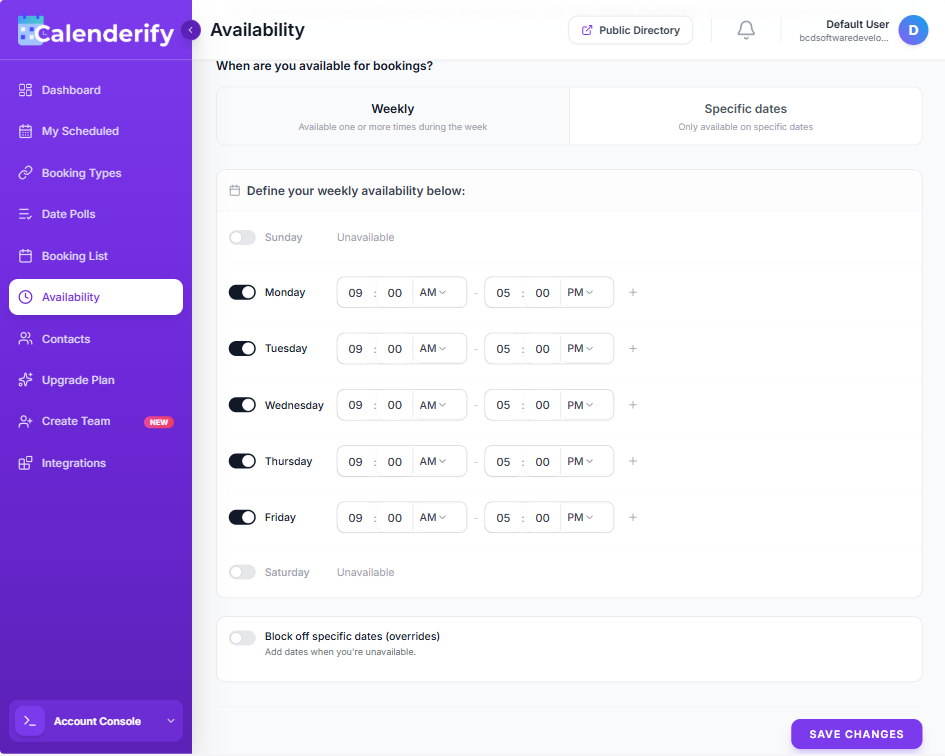
Manage schedules for individuals or teams with buffers, rules, and blocked dates.
Connect calendars, payments, and video tools to automate the full workflow.
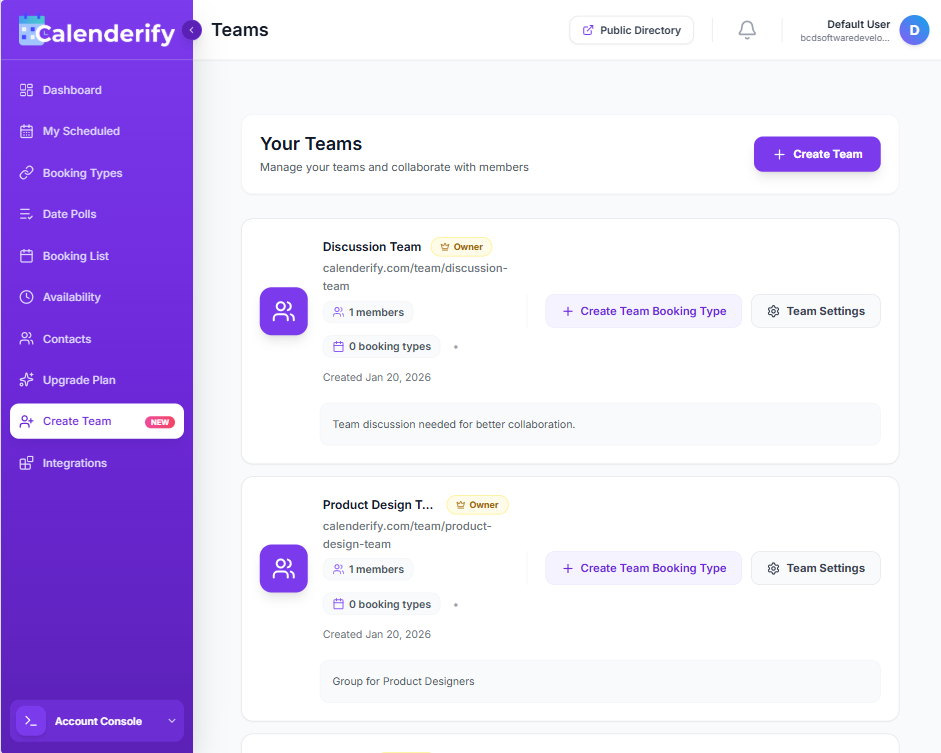
Manage team schedules, assign tasks, and ensure everyone stays aligned with shared availability and booking.
Set availability once, then get booked
Connect calendars, choose your default availability, create a booking type or date poll, then share one link. The mock panel updates as you explore the steps.
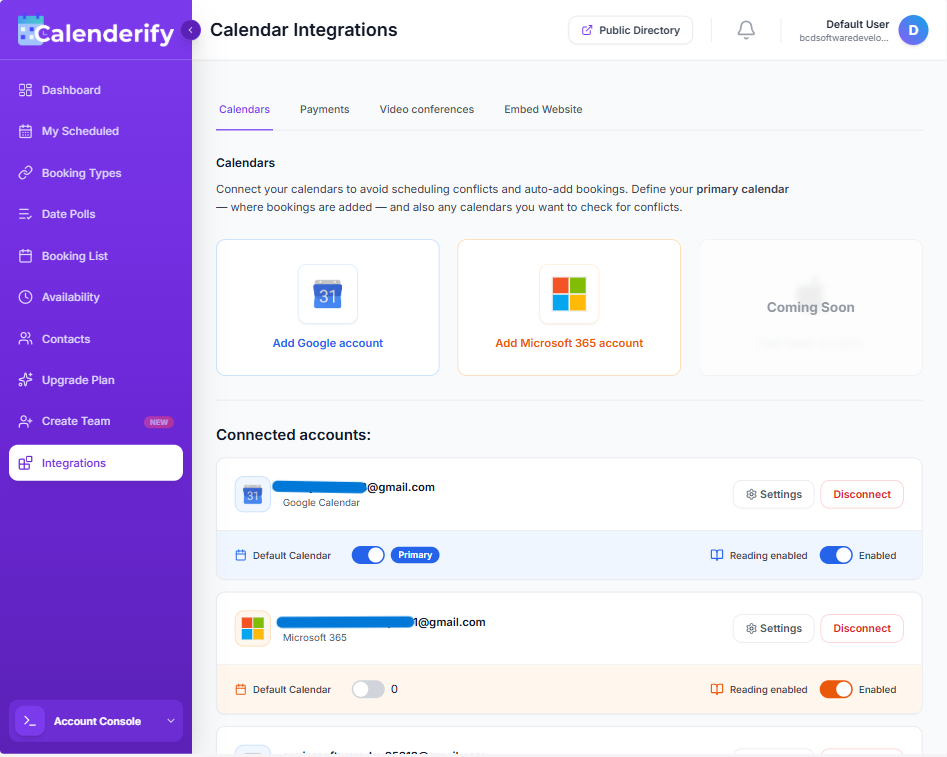
Add Google account or Microsoft 365 account
Google Meet, Zoom, Microsoft Teams
Connect Stripe or save PayPal email
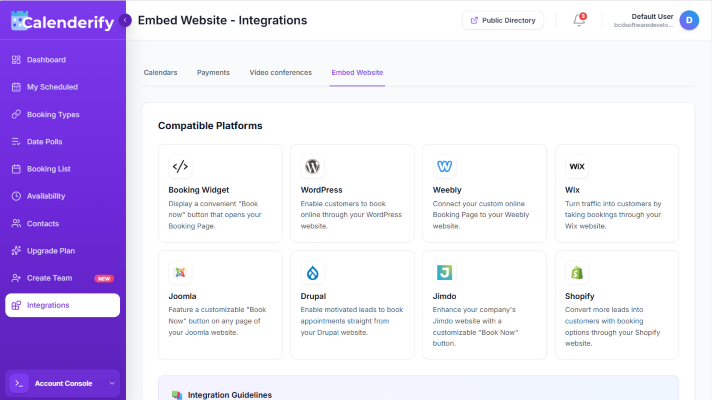
Add booking widgets to WordPress, Wix, Shopify, and more
Repeat the same schedule every week
Be available only on selected dates
Exclude dates when you are unavailable
Add dates when you're unavailable with custom time
Details, availability, questions, notifications
Share one poll link and let guests vote
Collect payment before confirming
Share a public link or embed it on your website
Share one link that opens a complete landing page
Show availability, booking rules, and custom questions
List booking pages publicly so anyone can discover and book
Invite guests via email, social media, or messaging apps
Built for real

scheduling, not just

meetings
Calenderify is designed for creators, agencies, coaches, and teams who need booking, voting, publishing, automation, and payments in one place.
Generate booking landing pages and embed them anywhere
Create booking types for different services. Each type gets its own clean landing page, and you can embed it into any website to capture bookings where your audience already is.
Voting that automatically groups people for easy management
Create a date poll, share one link, and let invitees vote. Calenderify can group voters so you can manage attendees cleanly without messy spreadsheets.
Publish public services and events as free or paid
Promote your services or events in your public directory. Share a post, accept bookings, and optionally charge for access, workshops, or consultations.
One product, six scheduling modules
Built to simplify scheduling at every level, our platform combines six purpose-built scheduling modules into one cohesive product.
See what it solves
Each feature reduces back and forth and keeps your workflow in one dashboard.
- Create booking types for each service
- Auto-generate a booking landing page
- Embed booking into any website
- Collect required details before confirming
- Send instant confirmations and reminders
- Create polls with multiple date options
- Group voters to manage attendees easily
- Confirm the final time quickly
- Reduce back-and-forth in group scheduling
- Lock the winning slot and notify everyone
- Publish services or events publicly
- Set listings as free or paid
- Share a single link for discovery
- Make your offerings searchable in one place
- Update listings anytime without redesign
- Manage hours, buffers, and blocked dates
- Team or individual availability rules
- Prevent conflicts before they happen
- Apply booking limits and lead times
- Control blackout dates for busy periods
- Google and Microsoft calendar sync
- Payments for paid sessions
- Auto-add Zoom, Meet, or Teams links
- Automate follow-ups with email notifications
- Keep tools connected across your workflow
- Host meetings together with Collective scheduling
- Auto-assign bookings with Round Robin rotation
- Route clients to the right expert with forms
- Balance team calendars without manual assigning
- Manage team rules from one shared dashboard
Value for money with one connected workflow
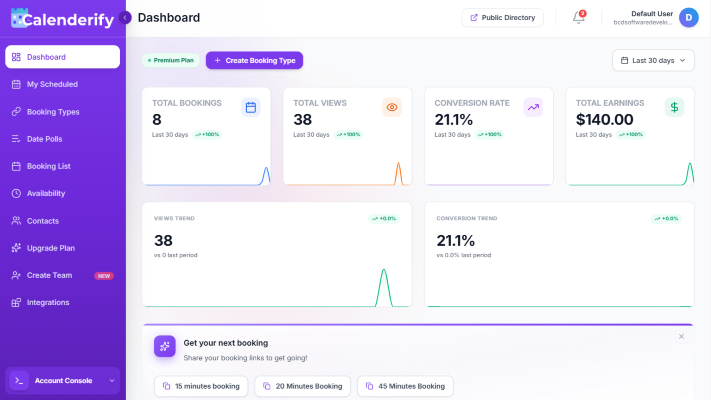
Save time, reduce tool costs, and keep everything consistent across booking, polls, publishing, and payments.
Six modules, one setup
Booking, polls, directory, availability, integrations, and earnings without tool switching.
- Less subscriptions to manage
- Clean workflow for teams and clients
- One place to track performance
Meet your audience where they are
Generate landing pages and embed booking into any site so the booking flow feels native.
- One link per service
- Embeddable booking experience
- Faster conversion from click to booked
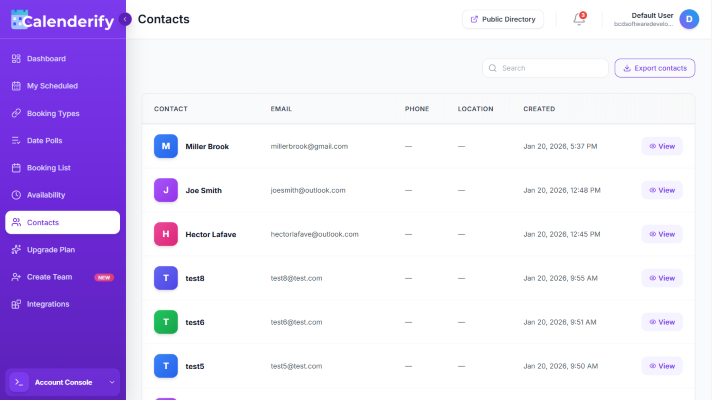
Turn every meeting into a reusable contact
Calenderify builds a clean contact list from your bookings, polls, meetings, and shared events so follow-ups never get lost.
- Auto-capture attendee details
- Grab Email, Phone, Location, Listed time
- Export contacts for outreach and lead tracking
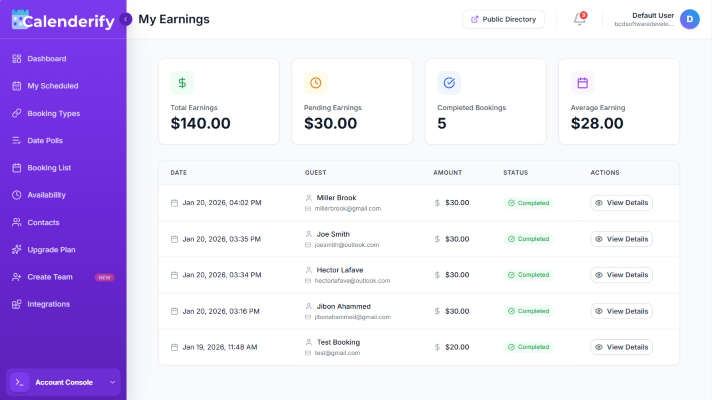
Turn scheduling into revenue
Offer paid consultations, workshops, and 1:1 sessions, then track earnings in the same dashboard.
- Paid meetings and consultation services
- Flexible pricing for services and events
- Earnings visibility without spreadsheets
Simple plans that scale with you
Start free, then upgrade when you need more control, higher booking rules, and team-ready scheduling workflows.
Free
StarterFor personal use and testing.
- Unlimited booking types
- Unlimited free and paid bookings
- Accept payments via Stripe and PayPal
- Video conferencing via custom link
- Onboarding email confirmation
Individual
Most PopularFor professionals who need more control.
- Everything in Free
- Set maximum allowed bookings
- Connect unlimited calendars
- Enable video conference options
- Multiple attendees per time slot
Agency
TeamsFor teams and agencies managing scheduling at scale.
- Everything in Individual
- Custom location option
- Attendees can bring guests
- Redirect after booking
- Public directory listing
Loved by teams who schedule and sell services
See how Calenderify helps people schedule smarter
The booking landing pages look professional and convert well. Embedding on our website made scheduling feel native for clients.

Date polls saved us from long group chats. Voting plus grouped attendees made it easy to finalize one time for everyone.

Calendar sync prevents double bookings. Once we connected Google and Outlook, conflicts disappeared and reminders stayed consistent.

Paid consultations are finally simple. Payments, video links, and confirmation emails happen automatically with zero admin work.

Public directory listings helped us get discovered. We publish events as paid or free and share one link for signups.

Team availability is clear and flexible. We set rules, buffers, and shared calendars, then everything stays aligned automatically.

Earnings tracking is a big win. I can see revenue, paid bookings, and upcoming sessions without opening extra dashboards.

Setup was easy and fast. We went from zero to fully bookable services with embed pages and automated confirmations.

We replaced three tools with one. Booking pages, polls, and integrations in a single flow reduced admin work immediately.

Our workshops sell smoother now. Paid bookings plus auto video links made it easy for attendees and reduced drop offs.

The directory is underrated. We publish services, share one page, and bookings come in without custom landing page work.

Availability rules keep our team sane. Buffers and limits mean we can stay productive without feeling overbooked.

Date polls make client scheduling smooth. Grouping voters gives us clarity fast and keeps follow ups short.

Integrations are reliable. Calendar sync and video links feel seamless, and our bookings never miss details anymore.

Paid sessions increased. Clients pay first, then meetings auto create with calendar and video details. It saves time daily.

Best value for money. It covers booking, publishing, and payments in one place, and the UI stays clean and modern.


Questions, answered
Short answers that remove doubt and help visitors start using Calenderify.
Ready to book, publish, and earn with one tool?
Launch a booking page, run a poll, publish your listing, connect integrations, and start accepting paid sessions today.